
Best Note-Taking Apps for Students in 2026
Best Note-Taking Apps for Students in 2026: Updated Recommendations
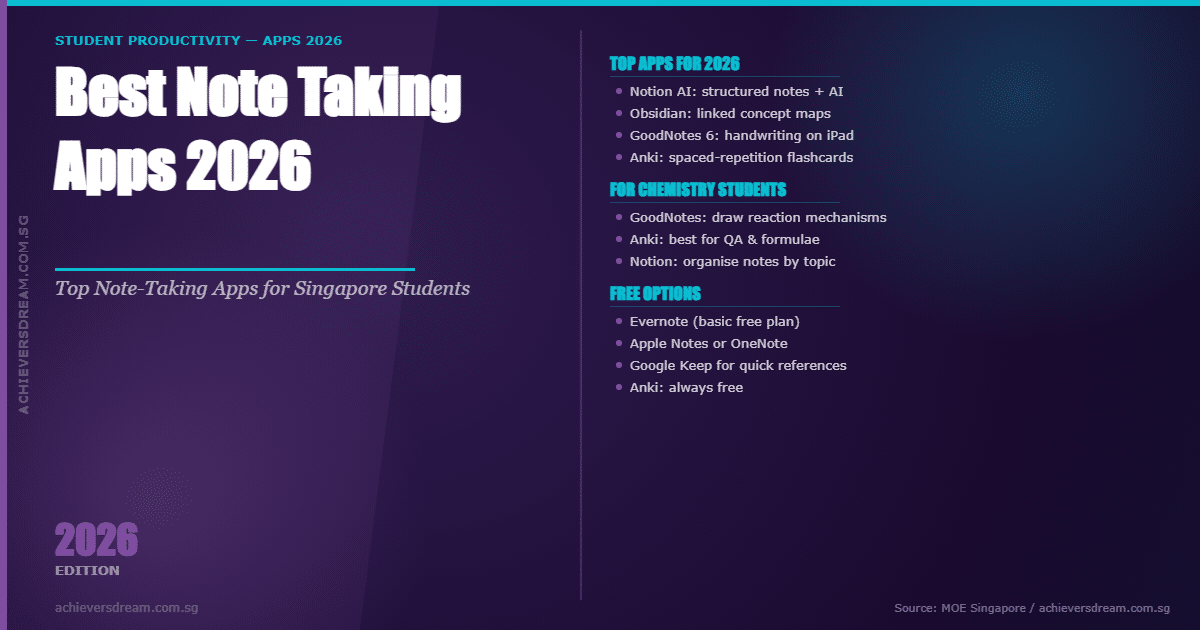
The note-taking app landscape has changed significantly since 2022. Here is a 2026 update covering the top apps, including AI-powered tools now available to students:
1. Notion (Free / $10/month for AI)
Notion remains the top choice for students who want an all-in-one workspace. In 2026, Notion AI allows you to auto-summarise notes, generate flashcard-style Q&As, and explain concepts. Ideal for organising chemistry revision by topic (e.g., separate databases for Physical, Inorganic, and Organic Chemistry).
2. Obsidian (Free)
Obsidian is a markdown-based note-taking tool that works offline and stores notes locally. Its powerful linking system (“backlinks”) lets students connect chemistry concepts — e.g., linking “Le Chatelier’s Principle” to “Buffer Solutions” and “Equilibrium Constants”. Excellent for building a chemistry knowledge web.
3. GoodNotes 6 (iPad — $10.99 one-time)
For students who handwrite their notes (proven to aid retention), GoodNotes 6 on iPad is the gold standard. It supports stylus input (Apple Pencil), PDF import for annotating chemistry diagrams, and AI-powered search of handwritten notes. Perfect for chemistry practicals and diagram-heavy topics.
4. Notability (iPad — Subscription)
Similar to GoodNotes but with audio recording sync. Notability lets you record lectures/tuition sessions while writing — you can tap any note to replay the audio from that moment. Useful for reviewing chemistry explanations from tuition class.
5. Microsoft OneNote (Free with Microsoft 365)
Still a solid choice, especially for students using Windows devices. OneNote supports handwriting, typed notes, images, and web clippings. It syncs across all devices and is free for students with a school Microsoft account.
6. Anki (Free)
Anki is a spaced repetition flashcard app — not technically a note-taking app, but invaluable for chemistry memorisation. Create flashcards for organic chemistry reactions, qualitative analysis tests, and definitions. The spaced repetition algorithm ensures you review information just before you forget it.
7. ChatGPT / Claude (AI Note Assistant)
In 2026, many students use AI tools as a note companion — pasting their raw notes and asking the AI to structure, summarise, or create practice questions. While not a note-taking app per se, this workflow dramatically speeds up revision.
What NOT to Use in 2026
- Evernote: Has significantly limited its free tier and is now considered poor value.
- Apple Notes for complex study: Fine for quick notes, but lacks the organisational depth needed for exam revision.

When Does June Holiday End?
The Singapore June holidays for schools end on 25 June. For secondary school students, the return will mean the start of preparations for the final year exams. (In 2025, MOE approved the removal of all Primary and Secondary Mid Year Examinations; this initiative aims to improve student learning experiences and learning objectives.)
For JC students, though mid-year exams are still the norm, from 2026, examinations will be taken out progressively.
To best prepare students for the return, read on as this article introduces some of the best note taking apps which will help you to save time for your revisions.
Best Speech-To-Text Note Taking App
Gboard (Free)
Gboard is a platform that accurately converts audio to text with an API (application programming interface) powered by the best of Google’s AI technology and research.
For students that are note taking, transferring your notes through the app will enable the autocorrect and word prediction function to avoid typos and speed up typing. More importantly, Gboard offers a voice typing feature that allows students to dictate their notes instead of typing them manually. This feature is beneficial for students who prefer speaking or have difficulty with typing speed. It can enhance note-taking efficiency and enable students to capture their thoughts quickly.
Some additional features include emoji and GIF search, clipboard access, multilingual support and glide typing.
Notta.ai (Free)
For Chemistry students that are listening to audio podcasts, youtube videos or recorded lectures, Notta is a platform which converts speech to text. The platform also boasts several benefits such as syncing across devices, editing options, save and share.
The additional paid functions unlock features such as real-time transcription, import audio/video files for transcription, cloud file transcription, Notta Bot for live meeting transcription in Zoom, Google Meet and Microsoft Teams, Notta Chrome Extension, Export audio/text, Add Customize Vocabulary, AI Summary Generator Beta.
While these functions can be useful, they are not necessary for general note taking.
Dragon Anywhere ($15/month)
Developed by Nuance Communications. Dragon Anywhere offers several special features designed to enhance productivity and convenience for users. Here are some notable features of Dragon Anywhere:
Accurate Speech Recognition: Dragon Anywhere leverages advanced speech recognition technology to transcribe spoken words into text accurately.
Formatting and Editing: Dragon Anywhere provides voice commands for formatting and editing text. Users can apply formatting styles, such as bold, italics, and underline, as well as perform actions like selecting, deleting, and replacing text, all through voice commands.
Third-Party App Integration: Dragon Anywhere integrates with popular cloud storage services like Dropbox and Evernote, enabling users to save and access their documents directly from the app. It also supports sharing files via email or other communication platforms.
Other features include voice command, cloud sync, cross-device support and mobile Diction.
While Dragon Anywhere offers more customisation options and note taking the app offers a free trial followed by a $15 per month usage thereafter.

Best Note to Visualisation App
Microsoft OneNote (Free)
OneNote is a versatile note-taking app that allows students to create digital notebooks with text, images, drawings, and audio recordings. It offers features like tags, highlighting, and easy organization of notes into sections and pages. OneNote syncs across devices and integrates with other Microsoft apps, making it a popular choice for students.
While the app is free, access to premium functions are unlocked only with optional Microsoft Office 2019 or Microsoft 365 subscription.
Trello (Free)
While primarily a project management tool, Trello can also be used for note-taking and visualization. It utilizes a card-based system where students can create boards, lists, and cards to organize their notes, tasks, and ideas. Trello provides a visual overview and allows users to add due dates, checklists, and attachments to their cards.
One of the benefits of the app is its ability to be shared among many people, therefore, students that are looking for a collaborative notes app may find the it to be useful for organizations of tasks or setting deadlines.
Evernote (Free)
Evernote is a widely-used note-taking app that offers a variety of features to capture and organize notes. Students can create multimedia-rich notes, add images, attach files, and record audio. Evernote also provides powerful search functionality, synchronization across devices, and the ability to create notebooks and tags for easy organization.
One of the best functions of the app is its scan function, which will allow chemistry students to quickly gain access to science notes or revision guides from both the school or Achievers Dream Tuition Centre.
Start Your Chemistry Tuition Journey With AchieversDream
At Achieversdream, we offer specialised O-level chemistry tuition, A-level chemistry tuition and JC Chemistry tuition. Our team consists of ex-MOE HOD’s, NIE teachers and full-time tutors. |
As a top tuition centre in Singapore, students will be provided with a wide range of information from sources such as exclusive cheat sheets, sec 1 science notes, science revision guides or other supplementary/topic by topic notes.
Join Our Exclusive Telegram Group Here For More Chemistry Resources
Click Here for Free Access to our coloured Chemistry notes
We provide fully customised lessons in conjunction with up-to-date facilities such as our chemistry laboratory and a student portal. Our team will be there for you to support your learning journey, start now and achieve better results!
Start Your Chemistry Tuition Journey With Achievers Dream
At Achievers dream, we offer specialised Primary Science Tuition, O Level Chemistry Tuition, Lower Secondary Science Tuition and JC Chemistry tuition. Our team consists of ex-MOE HOD’s, NIE teachers and full-time tutors.
As a top tuition centre in Singapore, students will be provided with a wide range of information from sources such as exclusive cheat sheets, sec 1 science notes, science revision guides or other supplementary/topic by topic notes.
Join Our Exclusive Telegram Group Here
Click Here for Free Access to our coloured Chemistry notes
We provide fully customised lessons in conjunction with up-to-date facilities such as our chemistry laboratory and a student portal. Our team will be there for you to support your learning journey, start now and achieve better results